TLDR
Law firm printing should begin with a controlled core kit: business cards, letterhead, envelopes, presentation folders and a small set of client-facing templates. Add brochures, intake checklists, attorney bio sheets, postcards or event materials only when each piece has a defined audience and next step. Keep frequently changing information separate from reusable materials, request an appropriate proof, and route advertising-sensitive content through the firm’s legal-marketing review before printing.
The objective is not to print every possible item with the firm logo. It is to give attorneys and staff the right document at each client, referral or community touchpoint—without creating a closet full of outdated addresses, attorney names and event dates.
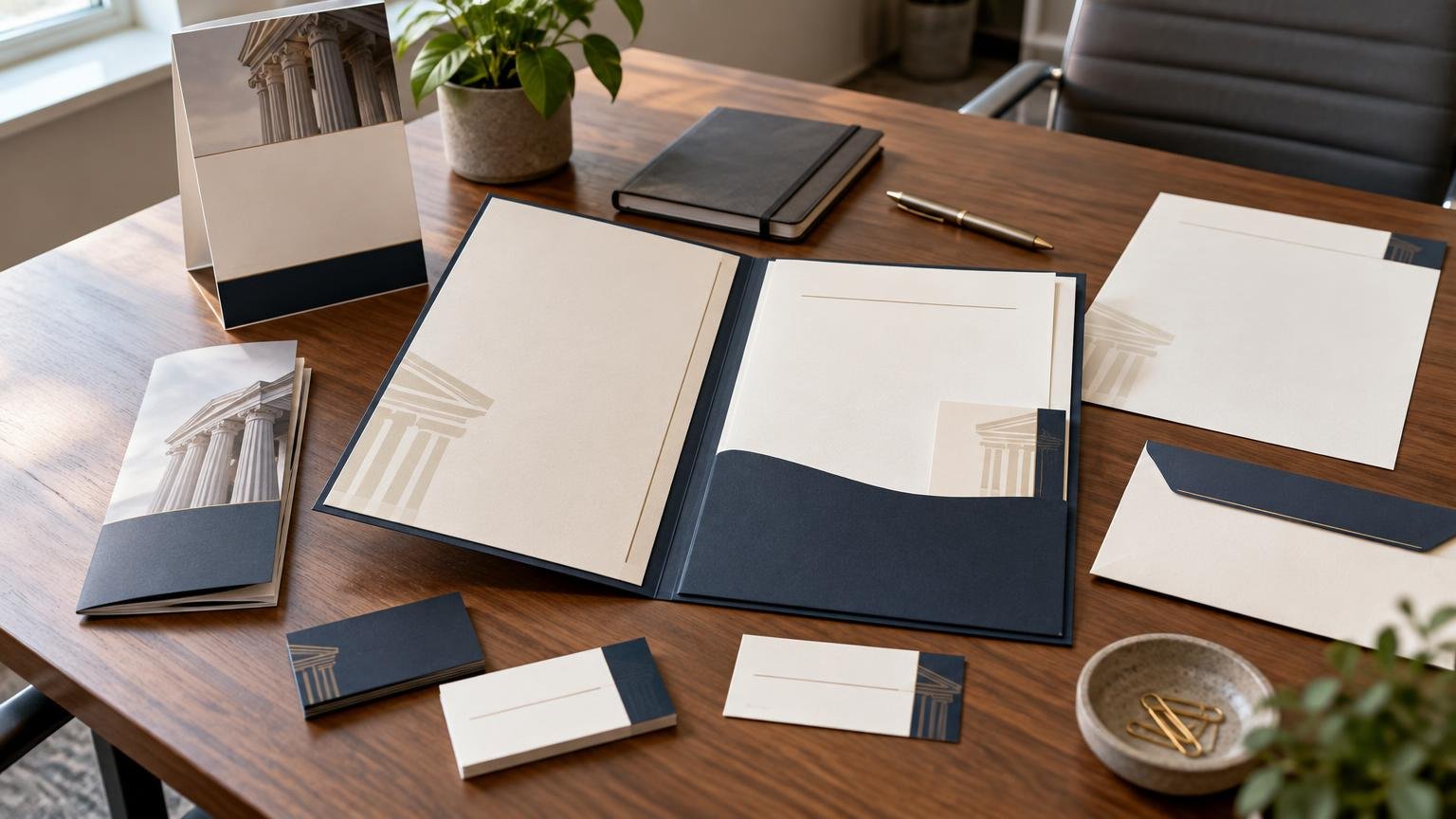
Start law firm printing with the core identity kit
Begin with materials the firm uses repeatedly. For most practices, that means business cards, letterhead, envelopes, notepads and presentation folders. These pieces establish a consistent identity across consultations, correspondence, referral meetings and document handoffs. Commercial print catalogs commonly group these formats with brochures, booklets, postcards, signs and other business collateral, but catalog availability is not a reason to order everything at once.
Create approved templates containing the firm name, logo, website and main contact details. Maintain separate controlled fields for attorney names, titles, direct numbers, email addresses and office locations. A solo practice may need only one version; a multi-office firm may need a carefully managed family of versions.
Attorney business cards should make the recipient’s next action obvious. A direct phone number, email address or relevant web address is usually more useful than a dense list of every service. Firms developing a new card can use the decision framework in these practical business card design ideas to prioritize content and calls to action.
Choose the right format for each legal communication
Different formats solve different communication problems. A one-sheet can summarize a focused practice area, while a brochure provides room for a structured explanation. A booklet may suit seminar material or a detailed client guide, but it is unnecessary when the reader needs only an appointment checklist.
| Format | Best role | Planning caution |
|---|---|---|
| Business card | Personal follow-up after a meeting or referral introduction | Control attorney names, titles and direct contact details |
| One-sheet or flyer | A concise practice-area overview, seminar handout or referral leave-behind | Use one clear audience and next step rather than listing every service |
| Folded brochure | Explaining a process, service group or client journey in sections | Plan the reading order around the folds and keep changing claims easy to update |
| Presentation folder | Organizing intake documents, checklists or referral materials | Use reusable folders with replaceable inserts to limit waste |
| Attorney bio or capability sheet | Referral outreach, professional introductions and speaking engagements | Date-sensitive credentials, awards and admissions need review |
| Postcard | A brief announcement, invitation or approved outreach campaign | Check mailing logistics and jurisdiction-specific advertising requirements |
| Booklet | Seminar programs, detailed educational material or multi-step guidance | Allow more time for pagination, binding and proof review |
| Banner or sign | Office wayfinding, clinics, seminars and community events | Design for viewing distance and verify venue restrictions |
The format should follow the encounter. Someone waiting at an event table may take a short handout; a prospective client preparing for a consultation may need a checklist; a referral source may value a concise attorney bio and practice-area sheet. Printing every possible detail is not the same as communicating clearly.
Build client intake and referral packets in layers
A client intake packet should help the recipient prepare, understand the next step and keep documents organized. A practical packet might combine a presentation folder, appointment card, document checklist, staff contact sheet and relevant educational insert. Avoid placing confidential or client-specific information on reusable outer packaging.
Separate durable information from content likely to change. The folder can carry stable branding, while replaceable inserts hold office hours, staff assignments, event dates, filing instructions or practice-specific details. This approach allows the firm to update one sheet instead of discarding an entire packet.
Referral packets need a different emphasis. A referring professional usually needs to know whom the firm serves, what matters it handles, whom to contact and what the handoff process looks like. A restrained folder with an attorney bio, capability sheet and contact card is often more useful than a long promotional brochure.
Plan print materials for seminars, clinics and community events
Event collateral should help people navigate, understand and follow up. Start with the physical setting: where attendees enter, what they can read from a distance, what they will carry and what should remain after the event.
- Directional or check-in signs that can be read quickly
- A table banner or reusable branded display when the venue permits it
- An agenda, program or short educational handout
- Speaker bio sheets when credentials are relevant to the session
- Appointment or follow-up cards with one clear contact path
- A date-specific insert placed inside a reusable folder or brochure
Keep the event name, date, venue and temporary offer off expensive reusable pieces whenever possible. A neutral banner and folder can support several events, while an inexpensive insert carries details that will expire next week.
Make production choices that fit the document
Production decisions should support handling and readability rather than decoration for its own sake. Business cards and folders generally need enough rigidity for repeated handling. Letterhead must work with the firm’s office printing and signing process. Intake forms may need an uncoated or otherwise writable surface. A glossy finish can suit image-led promotional material, but glare or poor writability may work against forms and note-taking.
Folds, binding and trim also affect how information is used. A brochure needs a deliberate panel order. A booklet needs complete pagination and enough inner margin for its binding method. Edge-to-edge color normally requires artwork that extends beyond the final trim line, while critical text should remain safely inside the cut edge. For deeper context when unusual materials or finishing methods are being considered, consult broader specialty print-production guidance.
Digital and offset printing are both established commercial production approaches, and printers may offer one or both depending on the job. PrintPlace, for example, states that it provides full-color digital and offset printing. The useful question for a law firm is not which method sounds more impressive; it is which available method fits the approved quantity, schedule, version count and finished piece. Ask the selected provider to explain the practical tradeoffs for the actual order.
Control versions across attorneys and offices
Version control becomes essential when a firm has several attorneys, offices or practice groups. Assign one person or team to own the approved templates and reorder process. Maintain a current record of names, professional titles, office addresses, phone numbers, email addresses and approved descriptions.
Use file names that identify the piece, office or attorney, version and approval date. Retire obsolete files instead of leaving them in a shared folder where they can be ordered accidentally. For a large reorder, compare the proof with the current contact record rather than relying on memory or an old printed sample.
It is also worth keeping a simple inventory log. Record which versions are in storage, approximately how many remain and which details will trigger replacement. Small batches can be sensible when personnel, locations or disclosures may change; larger quantities make more sense for stable, frequently used pieces.
Prepare a print-ready law-firm file
A clean production file reduces avoidable delays, but the printer’s specifications should control the final setup. Use this preflight checklist before upload:
- Finalize and approve the copy before layout sign-off.
- Verify every attorney name, title, phone number, email address and office location.
- Use the printer’s required finished size, bleed and safe-area specifications.
- Confirm that logos and images are suitable for the intended printed size.
- Check small type, fine lines and low-contrast text for readability.
- Include fonts and linked assets as required by the chosen workflow, or export them correctly in the final PDF.
- Review folds, page order, front and back orientation, and binding margins where applicable.
- Export using the provider’s requested PDF settings rather than a generic screen preset.
- Remove comments, hidden drafts, placeholder text and unapproved client information.
- Have the designated approver inspect the final proof at actual size where practical.
The more complex or consequential the piece, the more valuable a proof becomes. Request one when checking folds, pagination, variable attorney details, color-sensitive branding, envelopes, folders, booklets or a large first order. A digital proof is useful for content and layout review, but it may not predict every physical characteristic of paper and finish. See the print-ready file preparation guide for a broader preflight workflow.
Add an attorney-advertising review before printing
Printed legal marketing is not merely a design project. The ABA Model Rules place Rules 7.1, 7.2 and 7.3 under “Information About Legal Services,” covering areas relevant to communications and solicitation. The applicable requirements, however, depend on the firm’s jurisdiction and circumstances.
The ABA’s guidance on avoiding ethical violations in legal marketing notes that jurisdictional requirements can differ and recommends attorney review and approval of marketing creative before publication. A firm should therefore route potentially sensitive claims through the attorney, ethics adviser or other reviewer responsible for compliance.
Give particular attention to case results, testimonials, awards, specialist or superiority claims, practice-area descriptions, direct-mail solicitations and required disclaimers. The review should cover the exact finished content, not merely an earlier draft. If a notice must appear on the piece, confirm its wording, placement and readability under the rules that apply to the firm. This article is a print-planning framework, not a determination of any firm’s legal or professional obligations.
Law firm printing checklist
- Objective: Define who receives each piece, where and what they should do next.
- Core identity: Approve cards, letterhead, envelopes, folders and standard contact templates.
- Client intake: Prepare document checklists, appointment details and replaceable information sheets.
- Referral outreach: Create concise attorney bios, capability sheets and a clear referral contact path.
- Education: Match one-sheets, brochures or booklets to the amount of explanation required.
- Events: Separate reusable signs and folders from date-specific programs and inserts.
- Version control: Assign an owner for attorney, office and practice-group variations.
- Production: Confirm quantity, schedule, stock, finish, folds, binding and proof options with the provider.
- File review: Check size, bleed, images, page order, contact details and final PDF settings.
- Legal-marketing review: Obtain the appropriate approval for claims, testimonials, results, awards, solicitations and notices.
- Inventory: Order stable pieces in suitable quantities and keep volatile content in smaller, replaceable batches.
Turn the plan into a controlled print brief
The best next step is to make a one-page brief listing each piece, its audience, its purpose, the approved version owner, estimated quantity and required date. Put the core identity kit first, then add intake, referral and event materials only where they solve a specific communication task.
Before ordering, confirm the printer’s current formats, quantities, file requirements, proof choices, turnaround and finishing options. Prints Jackson currently presents business stationery, brochures, postcards, booklets, signage and file-preparation support as part of its print-material framing, but the exact service available for a particular job should be verified directly. If comparing providers, use this guide to choosing a local print shop to ask consistent questions about capabilities and approvals.